Unity Loot Table System – RPG Drop Generator
A downloadable tool
Build loot tables faster inside Unity
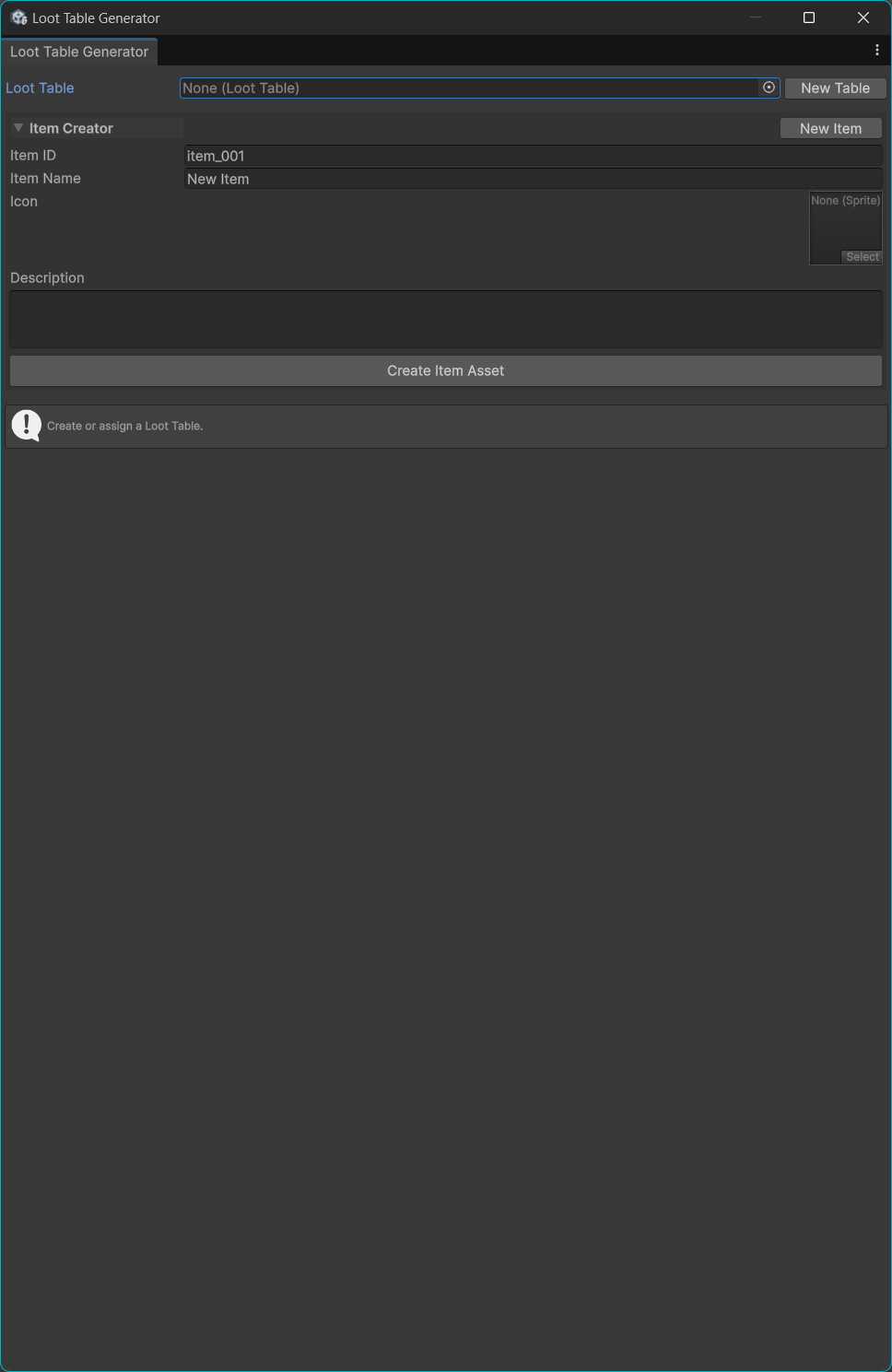
Loot Table Generator is a simple and practical Unity editor tool for creating and managing loot tables with a clean workflow.
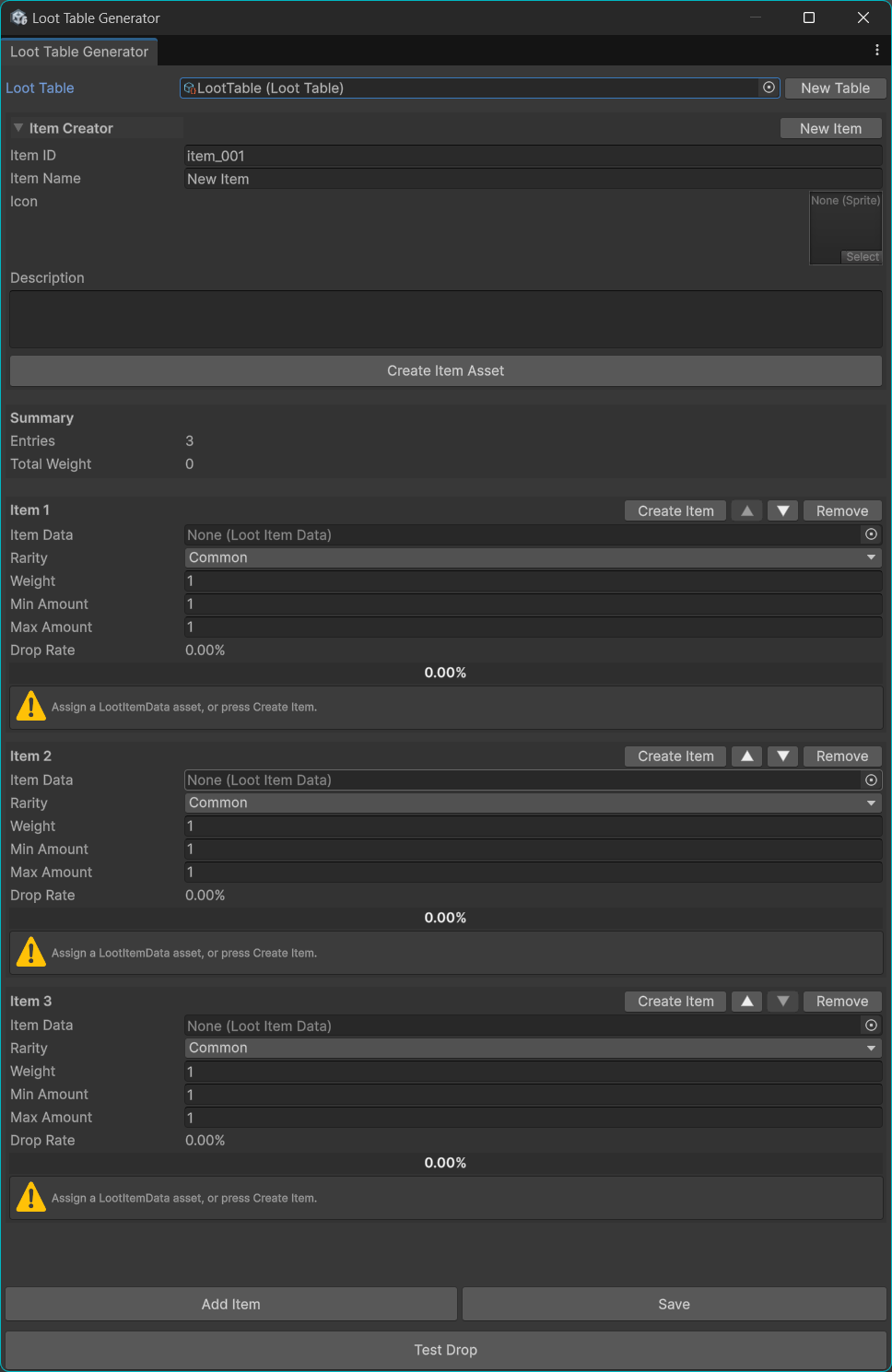
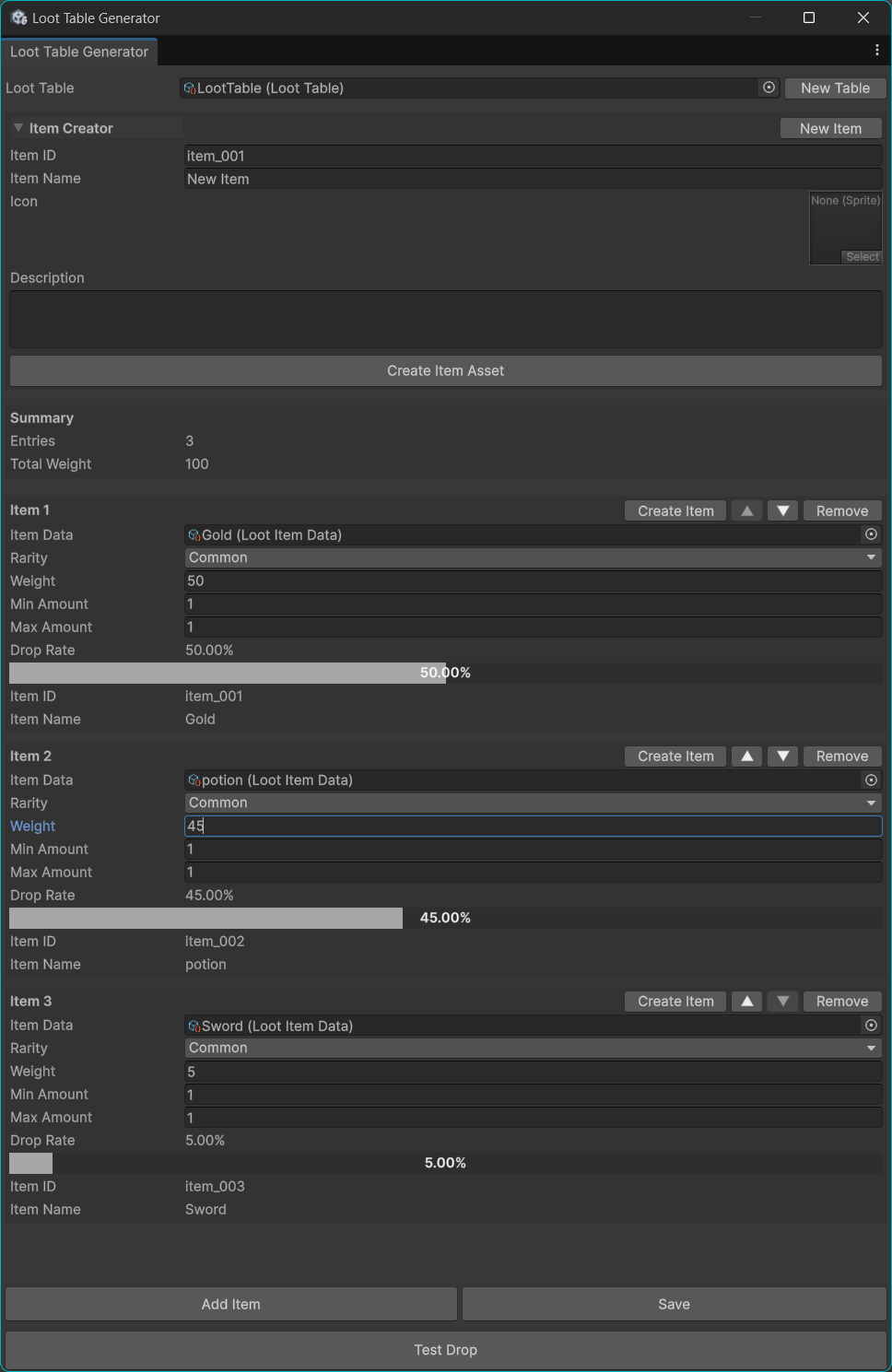
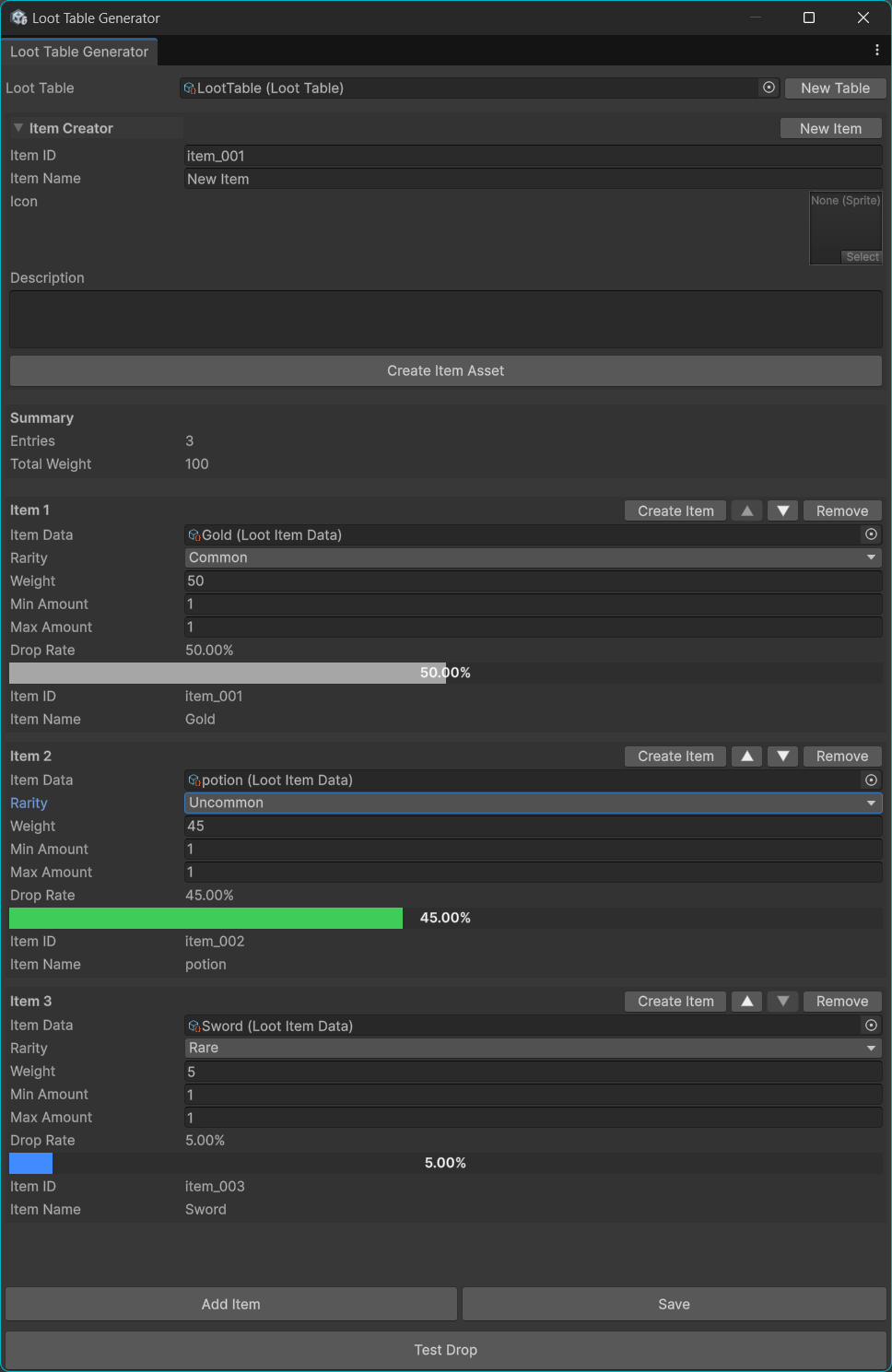
You can create both loot tables and loot items directly from the tool, assign rarity, adjust weighted drop chances, set min/max drop amounts, and preview probabilities visually with built-in percentage bars.
This tool is designed for developers who want a lightweight and easy-to-use loot table workflow without building a custom editor from scratch.
Features
Loot Table Creation
-
Create and open loot tables directly from the editor
-
Auto-create dedicated folders for tables
-
Fast workflow for organizing loot data
Loot Item Creation
-
Create LootItemData assets directly inside the tool
-
Set item ID, item name, icon, and description
-
Auto-create dedicated folders for item assets
Drop Settings
-
Weighted random drop system
-
Min / Max drop amount
-
Rarity settings for each item
-
Supports Common, Uncommon, Rare, Epic, and Legendary
Visual Editing
-
Built-in editor window
-
Drop rate percentage preview
-
Color-coded probability bars based on rarity
-
Easy item reordering
-
Quick add / remove workflow
Testing
-
Test Drop button inside the editor
-
Runtime test support with LootDropper
Perfect For
-
RPG games
-
Roguelike games
-
Dungeon crawlers
-
Loot-based action games
-
Gacha-style reward setups
-
Prototype projects
-
Indie games that need a quick loot workflow
Included Files
-
LootTableGeneratorWindow.cs
-
LootTable.cs
-
LootItemData.cs
-
LootDropper.cs
Current Version Includes
-
Loot table creation
-
Loot item creation
-
Automatic folder generation
-
Weighted drop settings
-
Rarity system
-
Visual probability bars
-
Drop rate percentage preview
-
Min / Max amount settings
-
Test Drop function
-
Simple runtime integration
Why Use This Tool
-
Save time building loot table workflows
-
Manage items and tables in one place
-
Easy to understand and easy to expand
-
Great starting point for custom loot systems
-
Clean editor-based setup for Unity projects
How To Use
-
Open the Loot Table Generator tool from the Unity menu
-
Create a new loot table
-
Create item assets directly in the tool
-
Add items to the table
-
Set rarity, weight, and drop amount
-
Test the result instantly
Unity Version
Tested in Unity projects using standard editor workflows.
Recommended for Unity 2021+
Notes
This tool is focused on a simple and efficient loot table workflow.
It is ideal for developers who want a clean base system that is easy to use and easy to customize.
Call To Action Start building your loot system in minutes with Loot Table Generator
Purchase
In order to download this tool you must purchase it at or above the minimum price of $5 USD. You will get access to the following files:
Leave a comment
Log in with itch.io to leave a comment.